Loading...
Searching...
No Matches
UParadiseCommonButton Class Reference
텍스트 라벨 기능을 포함한 커스텀 Common Button More...
#include <ParadiseCommonButton.h>
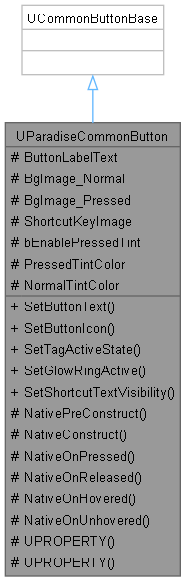
Inheritance diagram for UParadiseCommonButton:
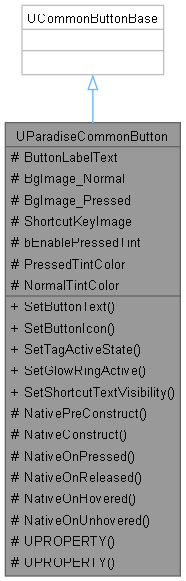
Collaboration diagram for UParadiseCommonButton:
Public Member Functions | |
| void | SetButtonText (FText InText) |
| void | SetButtonIcon (UTexture2D *InNormalIcon, UTexture2D *InPressedIcon=nullptr) |
| 런타임에 버튼 이미지를 동적으로 교체합니다. (스킬 아이콘, 오토 버튼, 설정 등) | |
| void | SetTagActiveState (bool bIsActive) |
| 태그 버튼의 활성/비활성 시각 상태를 설정합니다. | |
| void | SetGlowRingActive (bool bIsActive) |
| 빙글빙글 도는 빛 링 이펙트를 개별적으로 켜거나 끕니다. (오토 모드 등) | |
| void | SetShortcutTextVisibility (bool bShow) |
| 키보드/마우스 모드 진입 시 단축키 텍스트의 가시성을 변경합니다. | |
Protected Attributes | |
| FText | ButtonLabelText |
| TObjectPtr< UTexture2D > | BgImage_Normal = nullptr |
| 평상시(Normal) 배경 이미지 | |
| TObjectPtr< UTexture2D > | BgImage_Pressed = nullptr |
| 눌렸을 때(Pressed) 배경 이미지 | |
| TSoftObjectPtr< UTexture2D > | ShortcutKeyImage = nullptr |
| 기획자가 에디터에서 설정할 단축키 이미지 (예: "J", "U" 등) | |
| bool | bEnablePressedTint = false |
| true일 때만 눌림 틴트 효과를 적용합니다. 공격 버튼 등 피드백이 필요한 버튼에만 활성화하세요. | |
| FLinearColor | PressedTintColor = FLinearColor(0.5f, 0.5f, 0.5f, 1.0f) |
| 버튼 눌렸을 때 아이콘 틴트 (어둡게) | |
| FLinearColor | NormalTintColor = FLinearColor(1.0f, 1.0f, 1.0f, 1.0f) |
| 버튼 기본 상태 아이콘 틴트 | |
Detailed Description
텍스트 라벨 기능을 포함한 커스텀 Common Button
Member Function Documentation
◆ SetButtonIcon()
| void UParadiseCommonButton::SetButtonIcon | ( | UTexture2D * | InNormalIcon, |
| UTexture2D * | InPressedIcon = nullptr ) |
런타임에 버튼 이미지를 동적으로 교체합니다. (스킬 아이콘, 오토 버튼, 설정 등)
PressedIcon을 nullptr로 넘기면 NormalIcon과 동일하게 자동 설정됩니다.
- Parameters
-
InNormalIcon 평상시(Normal) 보여줄 기본 이미지 InPressedIcon 눌렸을 때(Pressed) 보여줄 이미지 (선택적)
◆ SetGlowRingActive()
| void UParadiseCommonButton::SetGlowRingActive | ( | bool | bIsActive | ) |
빙글빙글 도는 빛 링 이펙트를 개별적으로 켜거나 끕니다. (오토 모드 등)
- Parameters
-
bIsActive true면 링 활성화, false면 비활성화
Here is the caller graph for this function:

◆ SetShortcutTextVisibility()
| void UParadiseCommonButton::SetShortcutTextVisibility | ( | bool | bShow | ) |
키보드/마우스 모드 진입 시 단축키 텍스트의 가시성을 변경합니다.
- Parameters
-
bShow true면 텍스트 노출, false면 숨김
◆ SetTagActiveState()
| void UParadiseCommonButton::SetTagActiveState | ( | bool | bIsActive | ) |
태그 버튼의 활성/비활성 시각 상태를 설정합니다.
- Parameters
-
bIsActive true = 현재 조작 중(밝게), false = 교체 가능(어둡게)
Here is the call graph for this function:

Member Data Documentation
◆ ShortcutKeyImage
|
protected |
기획자가 에디터에서 설정할 단축키 이미지 (예: "J", "U" 등)
이 필드에 값을 입력하면 PC(키보드) 모드에서 해당 이미지가 버튼에 노출됩니다.
The documentation for this class was generated from the following files:
- Source/Paradise/Public/UI/Widgets/Ingame/ParadiseCommonButton.h
- Source/Paradise/Private/UI/Widgets/Ingame/ParadiseCommonButton.cpp